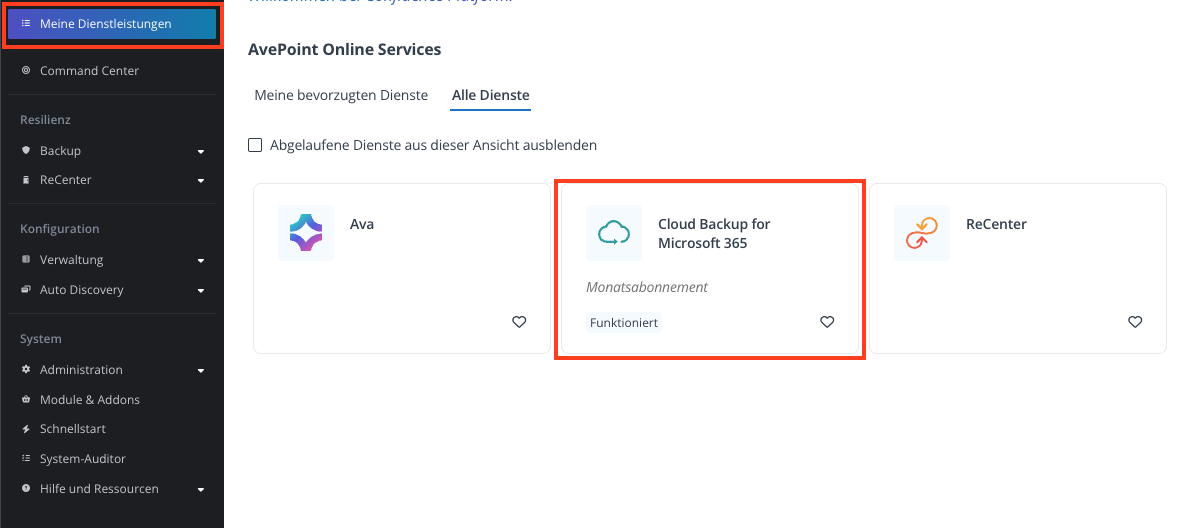
Klicken Sie links in der Menüleiste auf "Meine Dienstleistungen" und dann im rechten Feld auf "Cloud Backup for Microsoft 365".
Ein neues Fenster wird geöffnet:
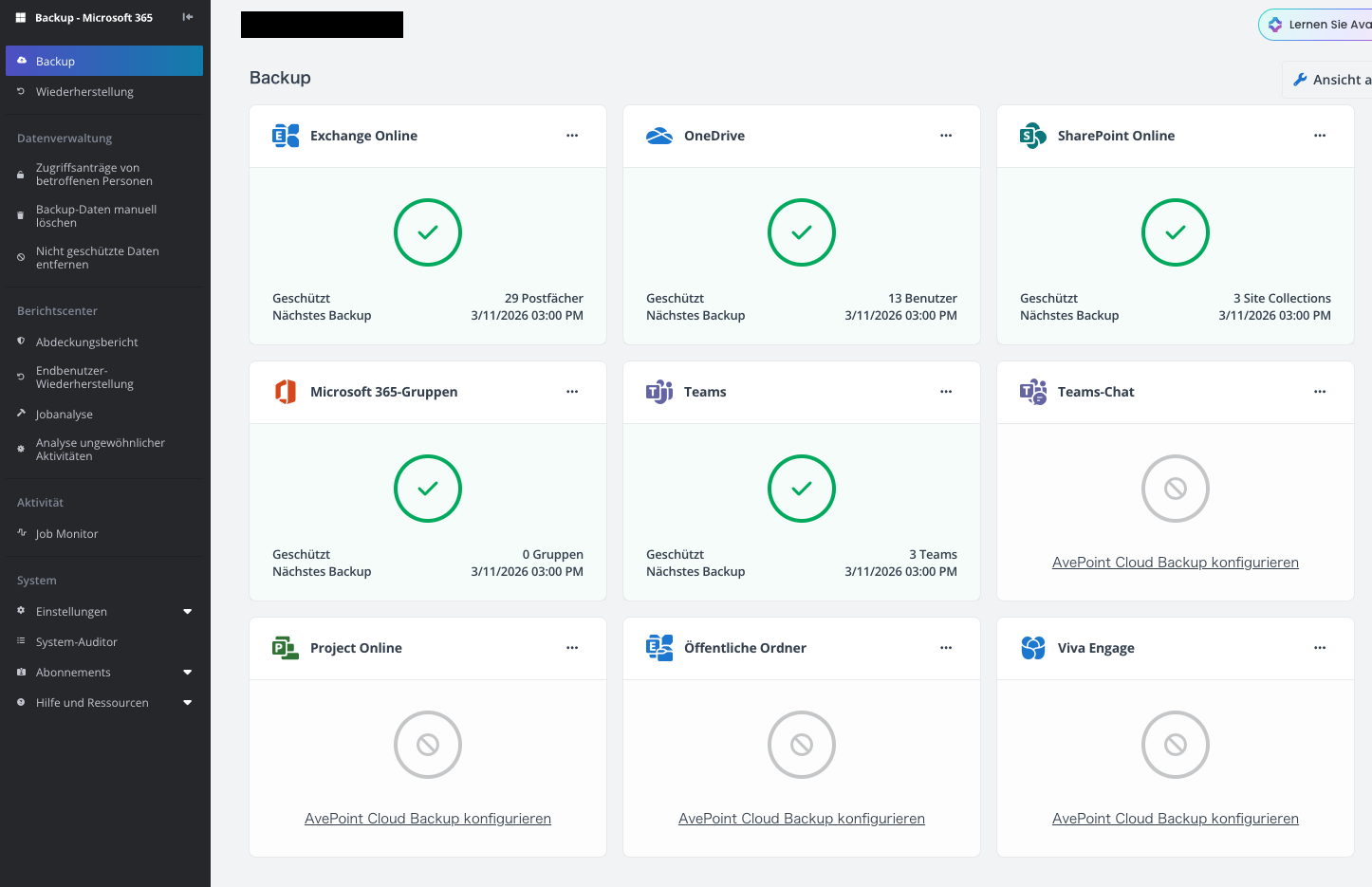
[](https://wiki.com4all.ch/uploads/images/gallery/2026-03/QBkdUN5Ndlv27BVG-image.png)Nun kann zwischen den abonnierten Produkten z.B. "Exchange Online" oder "OneDrive for Business" klicken gewählt werden.
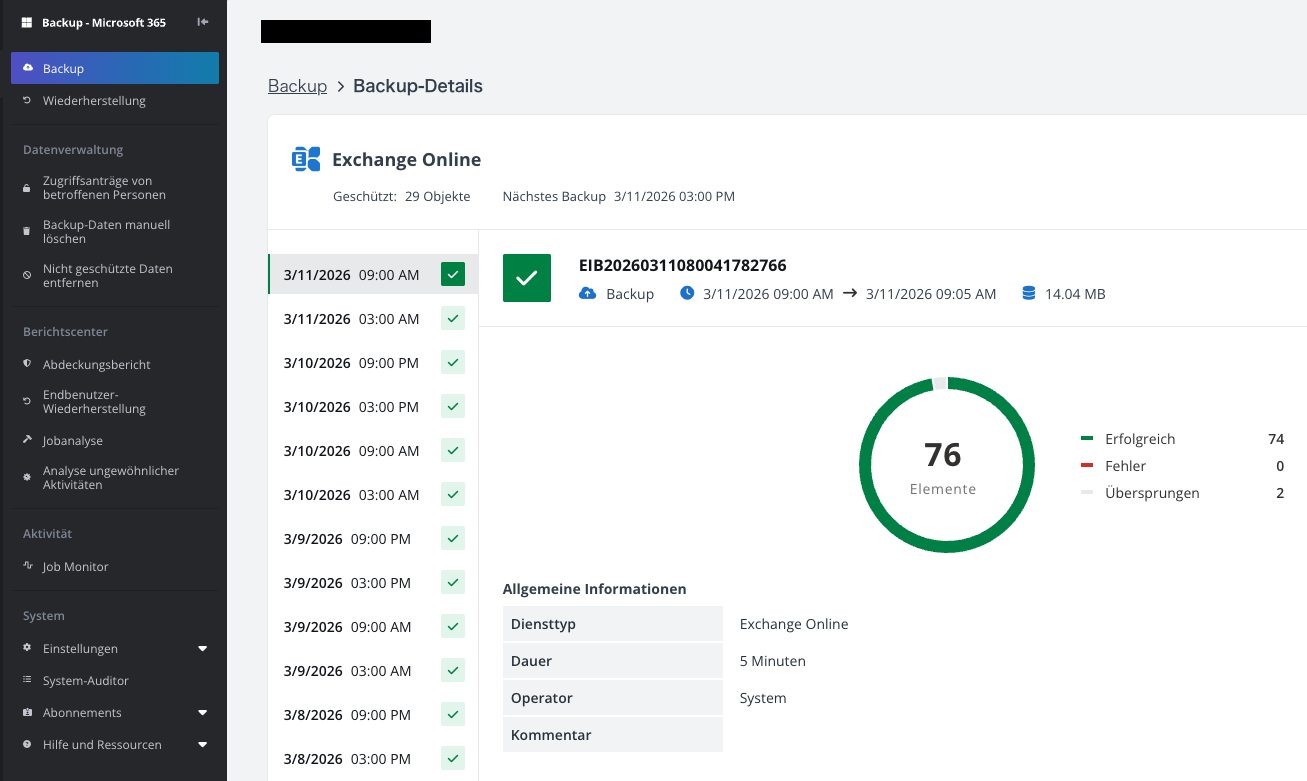
[](https://wiki.com4all.ch/uploads/images/gallery/2026-03/viHnObpaQcwVwBRi-image.png)In der Übersicht werden die letzten Backup-Versionen dargestellt:
[](https://wiki.com4all.ch/uploads/images/gallery/2026-03/i4PV6QEyZflyjl4U-image.png)