# NetExtender - Installation und Konfiguration
Dieser Beitrag erklärt, wie Sie den NetExtender von SonicWall für die Verbindung mittels SSL-VPN nutzen können.
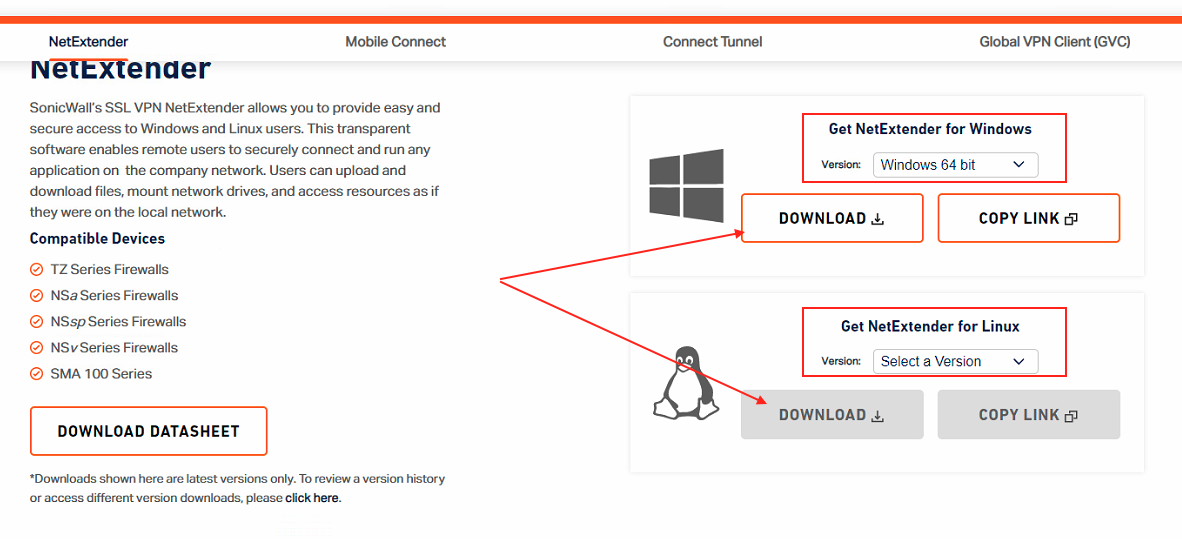
Die Installationsdatei des NetExtenders ist Online auf der Download-Seite von SonicWall verfügbar: [https://www.sonicwall.com/products/remote-access/vpn-clients/](https://www.sonicwall.com/products/remote-access/vpn-clients/)
Wählen Sie ihre Version und klicken Sie anschliessend auf "Download" um die Applikation herunterzuladen.
[](https://wiki.com4all.ch/uploads/images/gallery/2024-02/w2mnO4y47SBdUmWI-download-netextender.png)
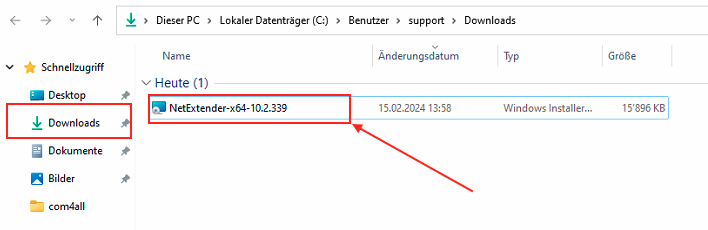
Starten Sie die Installation mit einem Doppelklick auf die heruntergeladene Datei
[](https://wiki.com4all.ch/uploads/images/gallery/2024-02/wCFuiwPSjhZo696B-installation-netextender1.png)
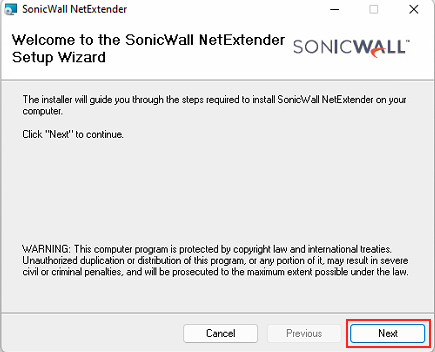
Führen Sie Die Installation anhand folgender Bildbeschreibung durch:
[](https://wiki.com4all.ch/uploads/images/gallery/2024-02/K6I6g5O2NhA3LdCz-netextender-installation-1.png)[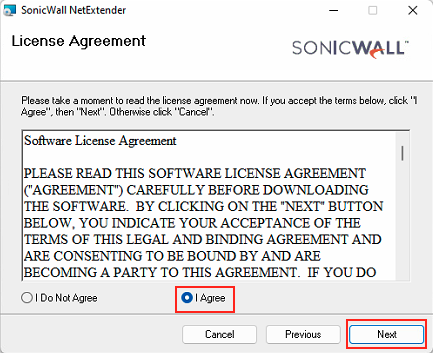](https://wiki.com4all.ch/uploads/images/gallery/2024-02/SexSvHSZAmo4OXjP-netextender-installation-2.png)[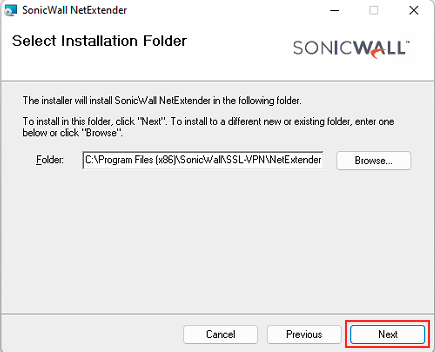](https://wiki.com4all.ch/uploads/images/gallery/2024-02/o66lJXS6B7WS6nWV-netextender-installation-3.png)[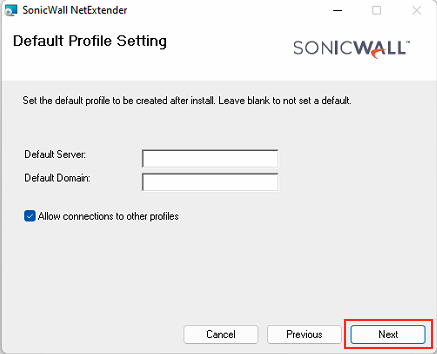](https://wiki.com4all.ch/uploads/images/gallery/2024-02/RAOfJJzPIZIrRcmE-netextender-installation-4.png)[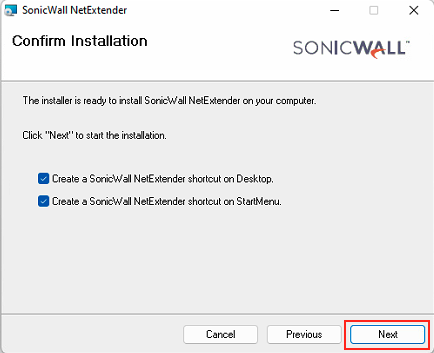](https://wiki.com4all.ch/uploads/images/gallery/2024-02/rexBJmoh0nCvXqvZ-netextender-installation-5.png)[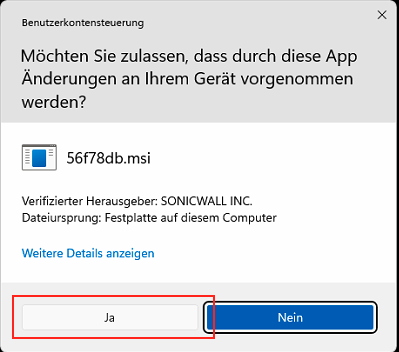](https://wiki.com4all.ch/uploads/images/gallery/2024-02/2PSc0X7ZOVLqOK4B-netextender-installation-6.png)[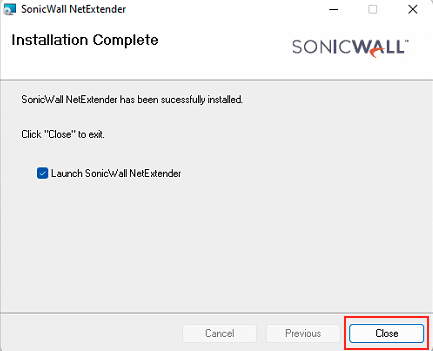](https://wiki.com4all.ch/uploads/images/gallery/2024-02/MxP8bQndJhIBAcB1-netextender-installation-7.png)
Starten Sie ihr Gerät neu, falls ein Neustart notwendig ist
[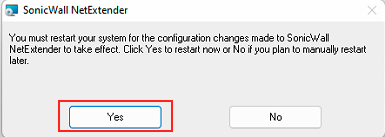](https://wiki.com4all.ch/uploads/images/gallery/2024-02/H9K9181Un4JHCC0i-netextender-neustart.png)
Starten Sie die Applikation "NetExtender" nach dem Neustart des Computers.
Geben Sie die Angaben ein, welche Sie von uns erhalten haben und klicken Sie auf "Connect"
Server: IP-Adresse und Port des Standorts auf den Sie sich verbinden können (Beispielsweise 1.2.3.4:4433)
Username: Name ihres Benutzers (Beispielsweise hans.muster)
Passwort: Passwort ihres Benutzers
Domain: Domäne, falls vorhanden
Bei der ersten Verbindun kann es sein, dass folgendes Fenster angezeigt wird. Klicken Sie auf "Always Trust"
[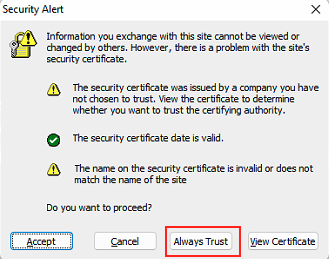](https://wiki.com4all.ch/uploads/images/gallery/2024-02/zW6vcfnrRqzBUdlU-netextender-always-trust.png)