Restore von Ordnern oder Dateien

1. Mount10 Cloud to Cloud Webseite öffnen

  • Login bei Mount10 cloud2cloud mit Username und Passwort, zusätzlich mit 2Phasen Authentifikation bestätigen.

Mount10 Cloud to Cloud Backup Login 02.jpg

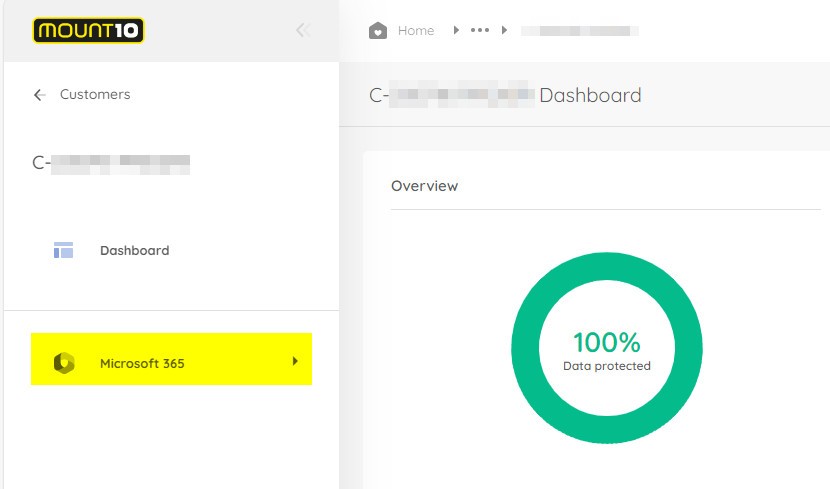
2. Wechsel auf Microsoft 365

Mount10 Cloud to Cloud Backup Office 365.jpg


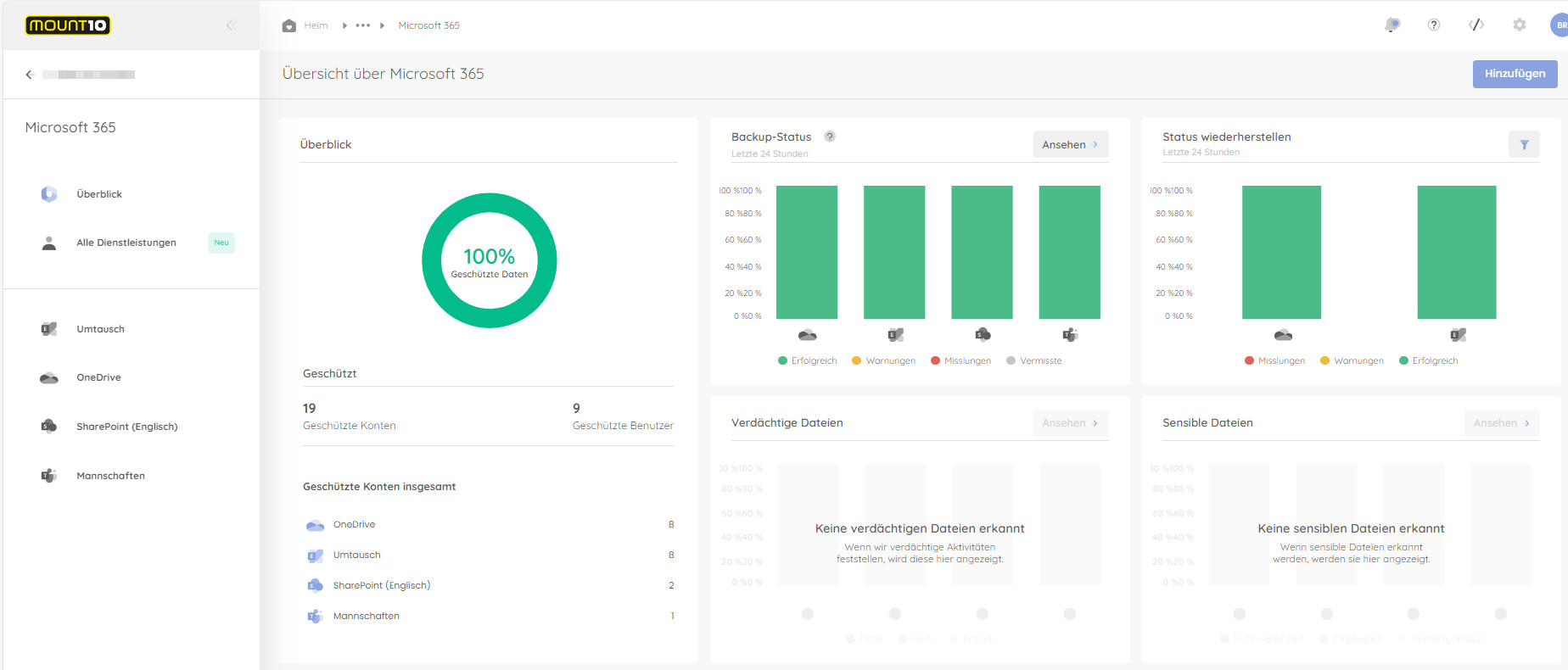
3. OneDrive anwählen


Mount10 Cloud to Cloud Backup Übersicht Microsoft365.jpg


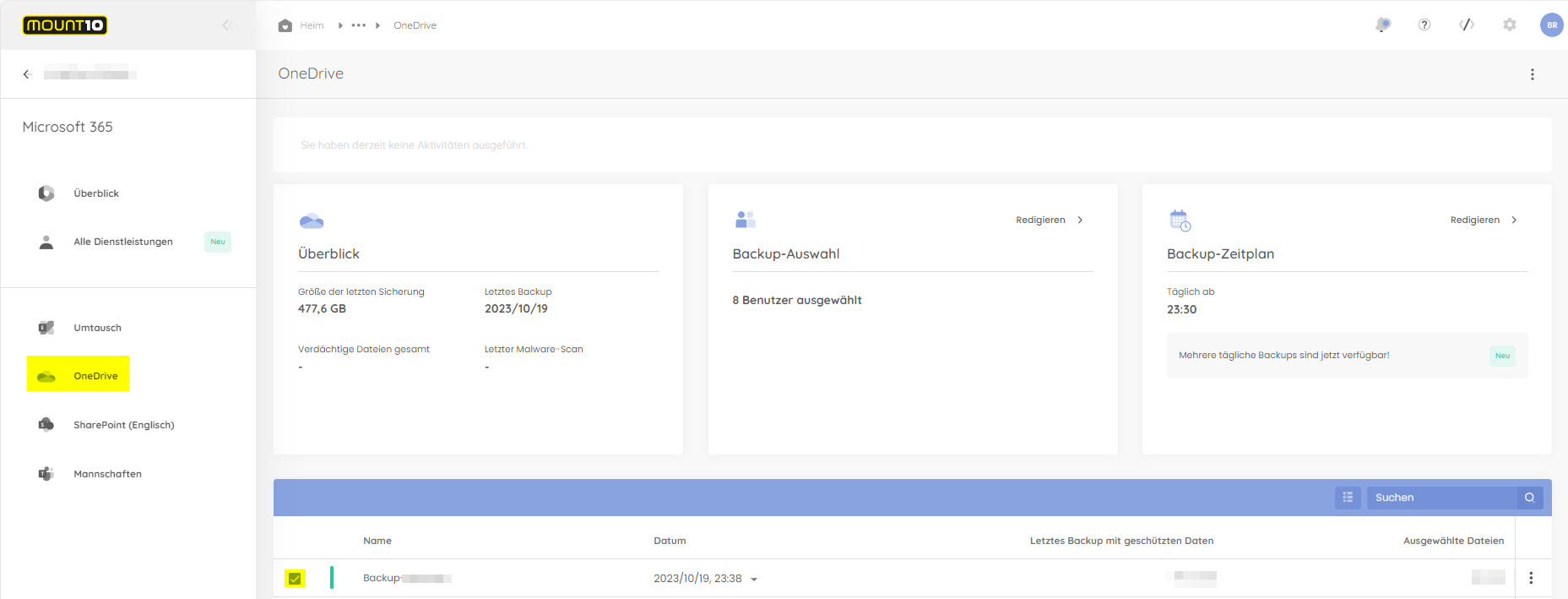
4. UserInstanz anwählen


Mount10 Cloud to Cloud Restore OneDrive.jpgMount10 Cloud to Cloud Restore OneDrive Backupordner.jpg


5. ZeitpunktRecover Wählen,using ausInstantData dem wir Daten wiederherstellen möchten

 anwählen
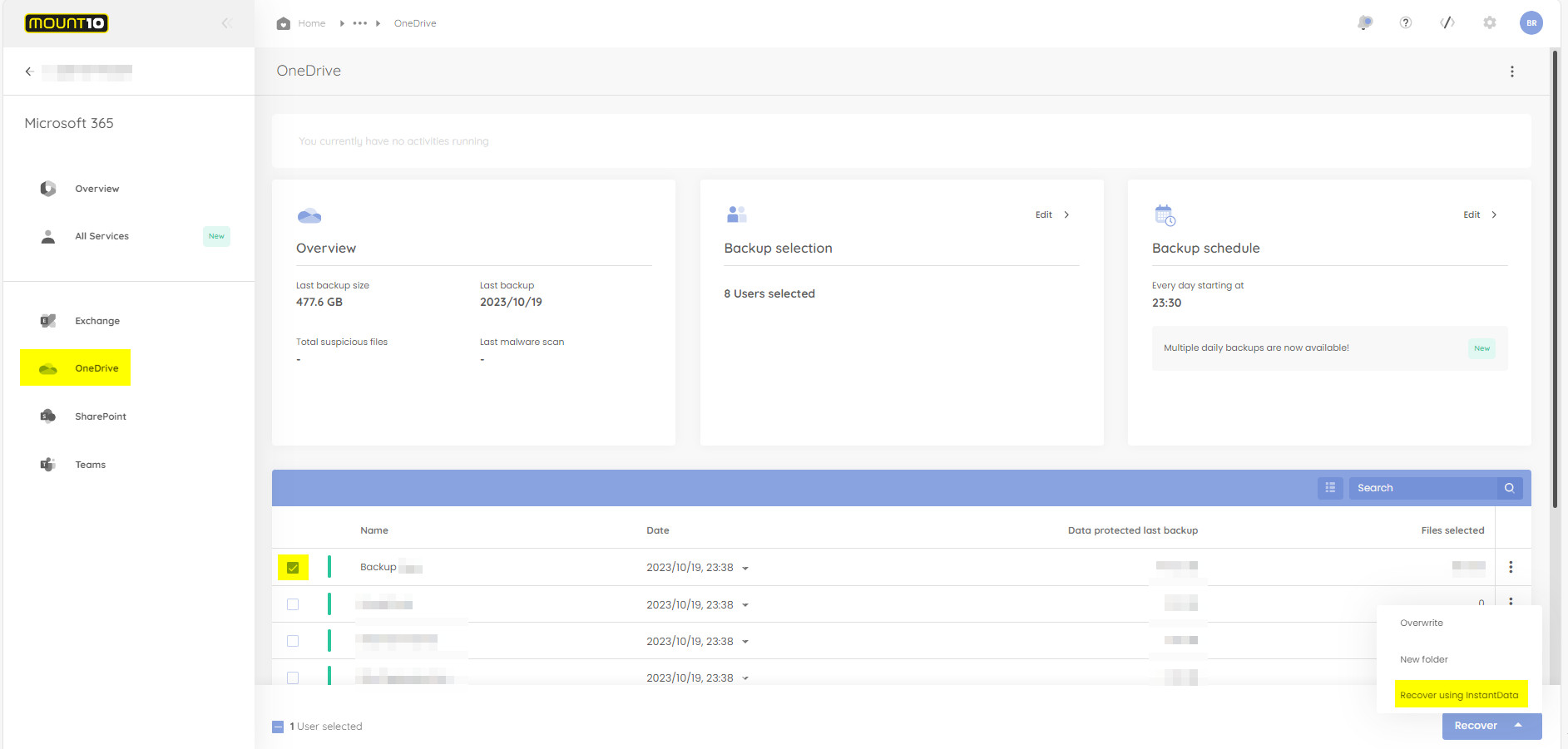
Mount10 Cloud to Cloud Restore OneDrive Datum.jpgMount10 Cloud to Cloud Restore OneDrive InstantData.jpg


6. Nun kann